

Live in an afternoon.
Built to be trusted.
Setup
One script tag. Zero sprints
-
Add Handled to your store, marketplace, or product with a single snippet. It sits alongside your existing checkout, ticketing, or CRM tools rather than replacing them. Nothing else in your stack has to change.
Secured
Built around security
-
Passwordless sign-in: Magic-link email, no stored passwords. Login tokens are short-lived, single-use, and only ever stored as a hash.
Revocable sessions: Session tokens are also stored only as a hash, so any session can be killed instantly rather than waiting for it to expire.
Structural tenant isolation: Every business's data is scoped to their own account, resolved from their session, never trusted from anything a browser could send. One business cannot see another's data.
Real operator separation: The platform's own admin console is a completely different login from any business's dashboard. Different table, different session, different login page. There's no shared account to slip through.
Encrypted credentials: CRM API keys and Slack tokens are encrypted at rest and never exposed to the browser.
Verified webhooks: Every Stripe event is checked against its signature before we trust it. A spoofed call gets rejected outright.
Connections
Works with what you already run
-
Most mainstream CRMs are fully supported. And if yours isn’t we’ll have it ready within 7 days of you asking us!
Handled creates deals or tickets, checks for an existing contact before duplicating one, and writes a handover note with the full context.
Slack connects in one click. No webhook URLs to manage and private channels are included.If a connection ever has a problem, it never blocks your customers' conversations. The chat completes normally, and we're alerted immediately so it gets fixed fast.
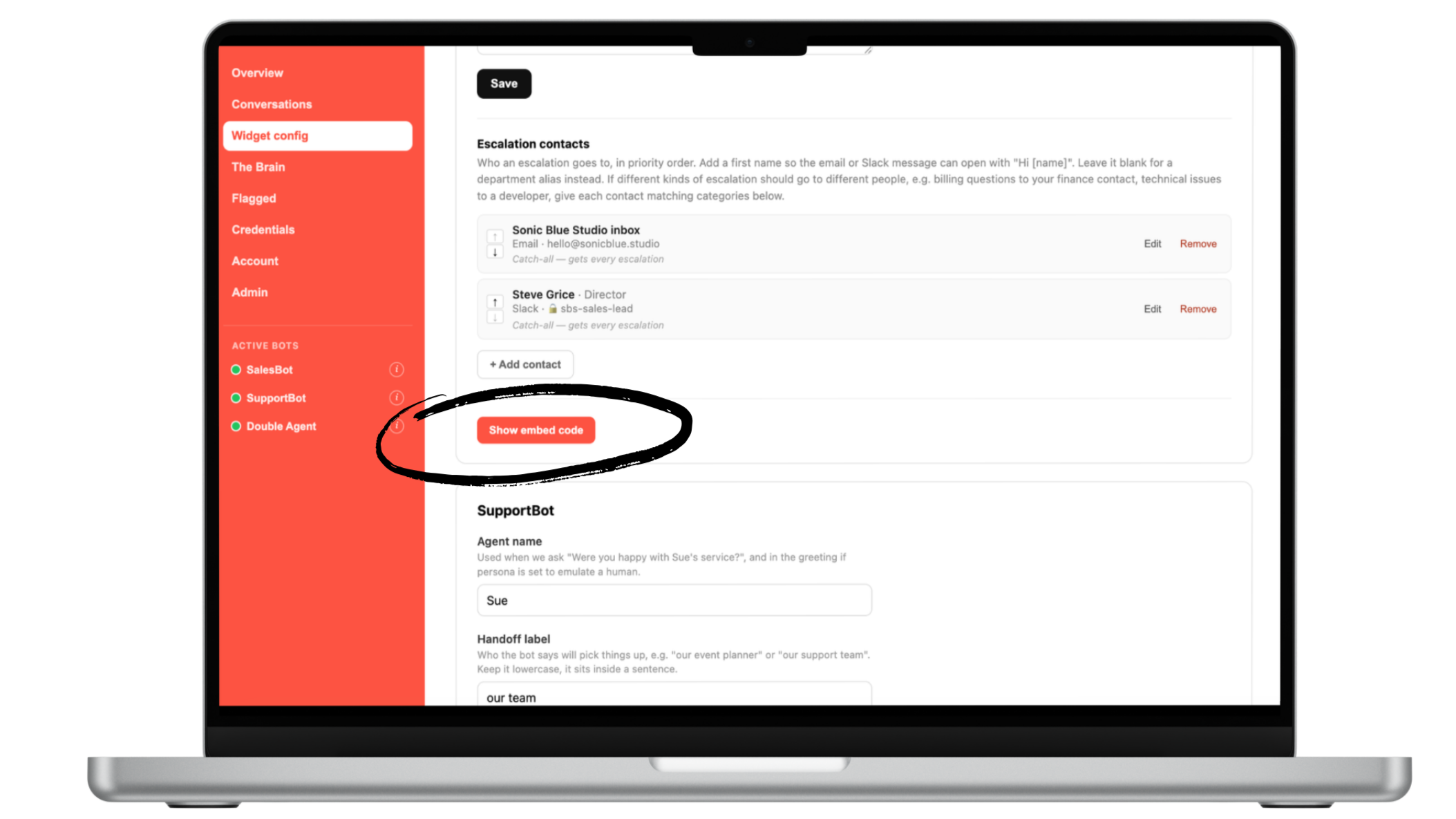
Embed the code
One line of code puts the bot live on your site.
Setup takes minutes, not a dedicated dev project.
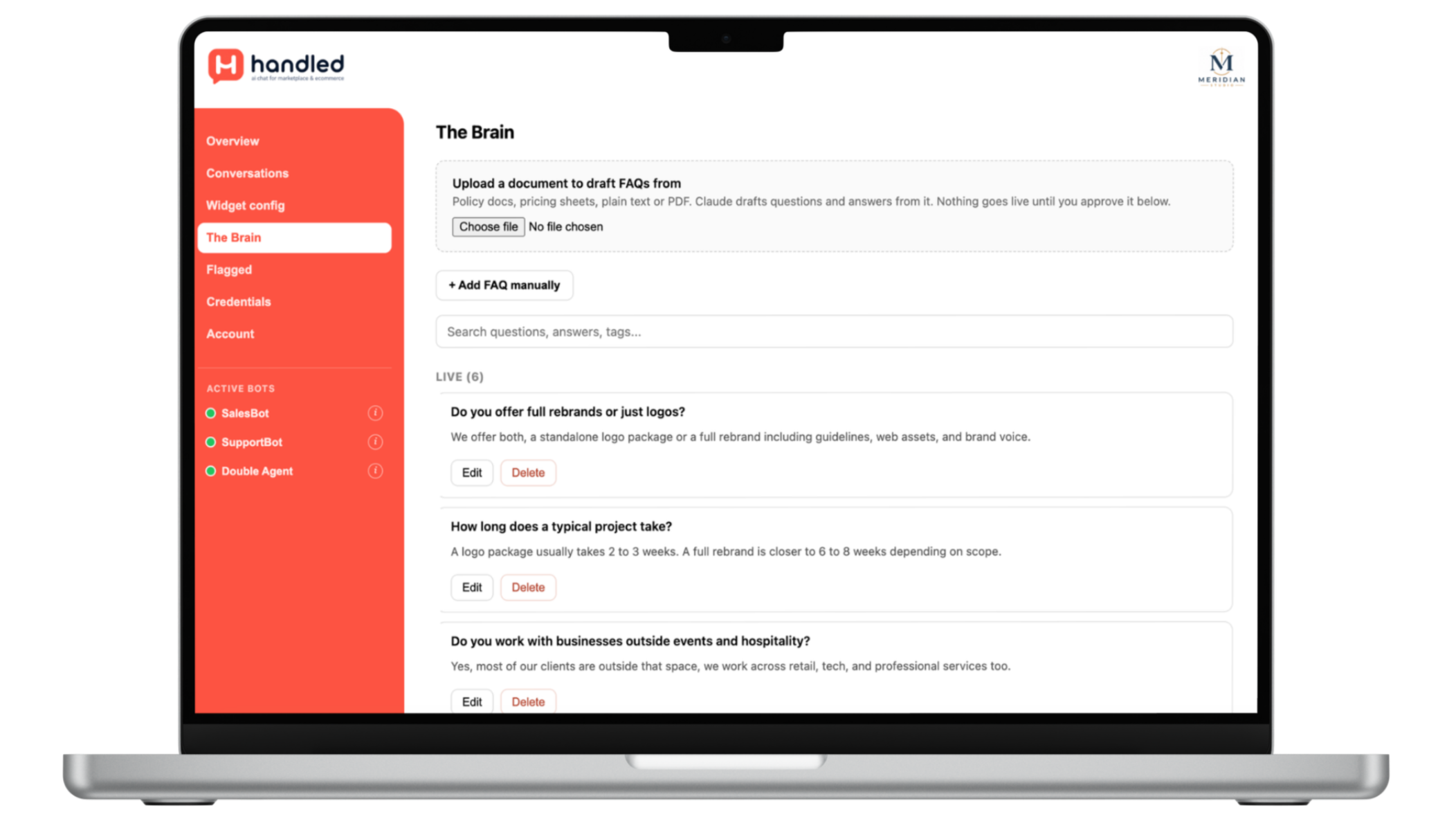
Feed ‘The Brain’
Upload policies, terms, FAQs, etc into your knowledge bank. Our bot does not guess or hallucinate. If the answer isn’t here, it escalates to a nominated human.
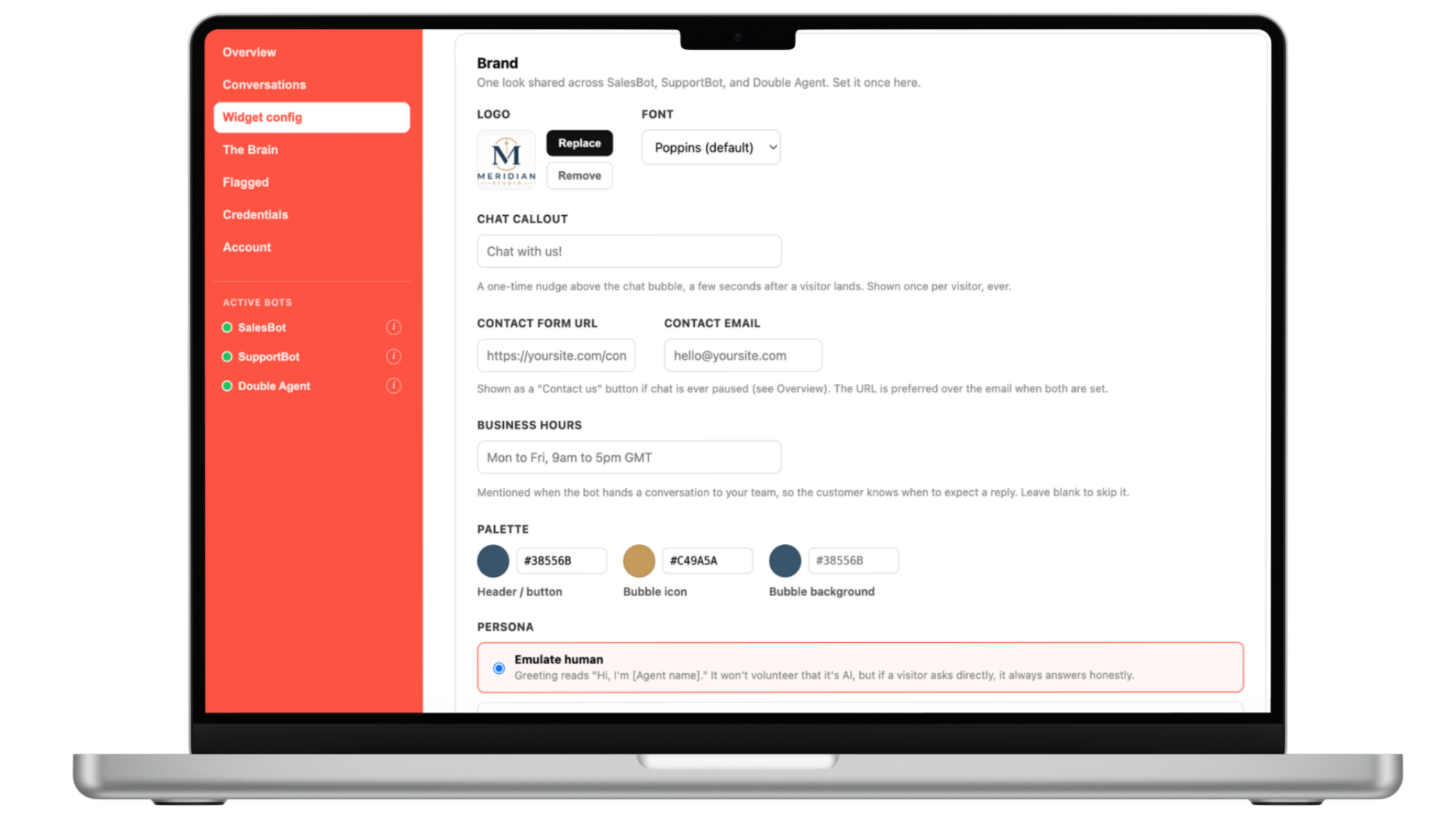
Configure the widget
You control your branding, bot behavioural traits and escalation contacts.
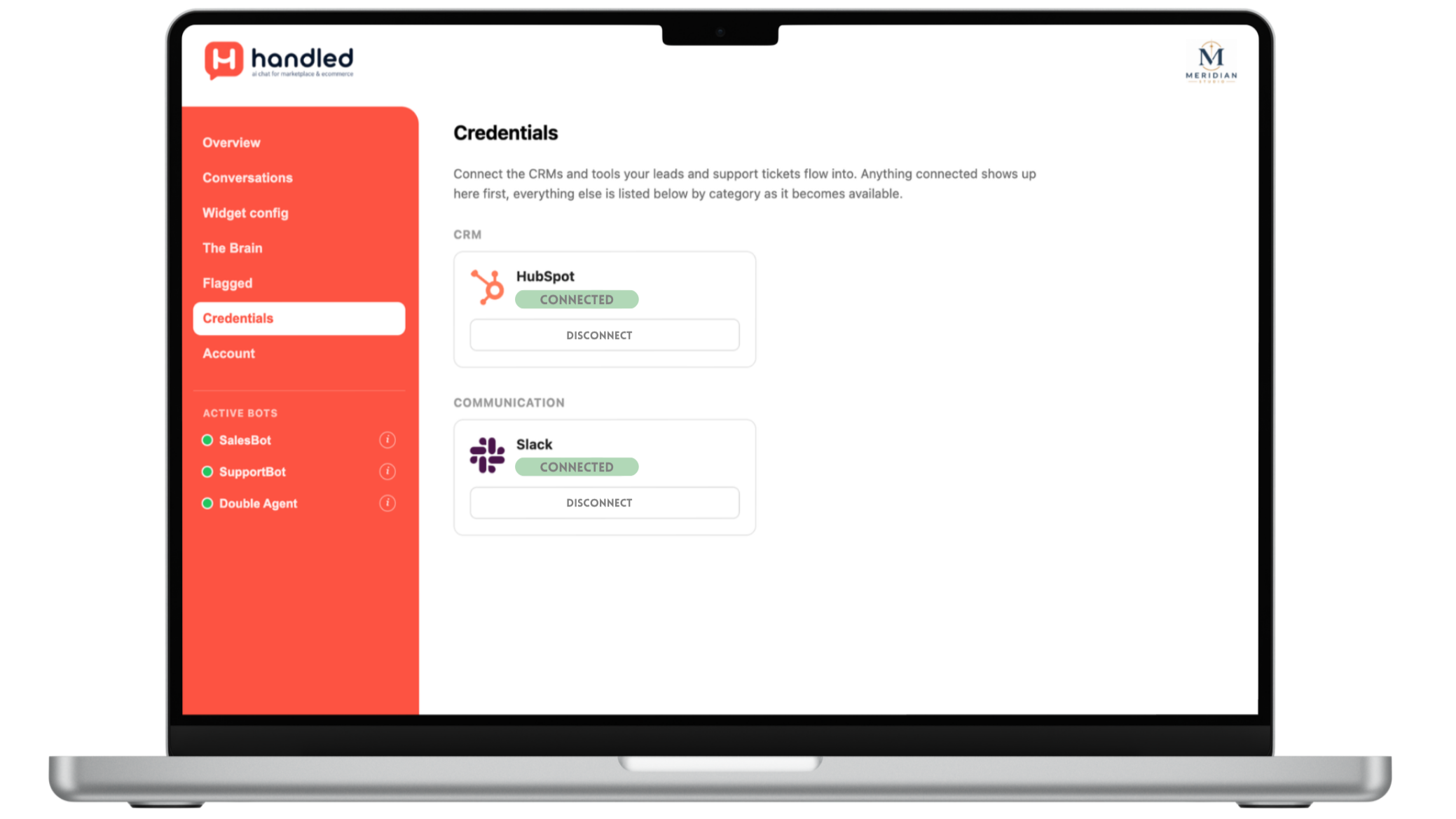
Connect your tools
Simple connections to major CRMs and Slack. If we don’t have your tool we’ll have it ready within 7 days.
Approved by…
Handled has passed the rigorous review process for major website platforms. Click a logo to install directly.


Frequently Asked Questions
Still have questions? Take a look through our help centre, or chat with our SupportBot.
-
No. This is a hard rule, not a preference.
It never invents pricing, availability, or policy details. When the bot can’t find the answer from the policies and FAQs you’ve uploaded to “The Brain”, it will always escalate to the nominated human.
You will not be billed if the query is unresolved. -
Yes, if the answer lives in the documentation you've uploaded.
Load in your troubleshooting docs, error explanations, or how-to guides, and it answers those confidently. What it won't do is offer general technical advice from outside your approved content, even if it could guess.
If it can’t answer with complete confidence it will always escalate to the nominated human. -
There are several escalation triggers:
No knowledge match in your knowledge hub, aka “The Brain”!
The customer asks for a human directly
The sentiment turns negative and a human touch may be a better fit
The user mentions a trigger word that you have specified
-
It handles it in stages:
A calm warning first
A firmer final warning if it happens again
Then the conversation is closed.
This is for genuine abuse or threats, not ordinary frustration or blunt language, which it treats like any other message.
-
A conversation where the bot answered confidently from your approved knowledge as found in “The Brain”
Where the query was resolved without escalation. Escalated conversations aren't billed as resolved, since a human still had to step in.
-
You can configure the bot to either introduce itself as an AI helper, or emulate a human.
If in the latter case a user asks if they are speaking to a human it will always answer honestly, along with an explanation of how this is a faster approach to resolving their query, but escalation to a human is an option.
It never denies or dodges being AI.